.jpg)
Many websites publish useful articles, but readers have no easy way to respond. This article explains why adding a comment system can turn passive readers into active discussions.
1.Talking to an Empty Room
Publishing blog posts takes time. You research a topic, write the article, and publish it hoping people will read it.
But something strange happens on many websites.
People read the article and leave.
- No discussion
- No questions
- No feedback
For many business owners and founders, this is frustrating. The whole point of writing is to start conversations with readers. If readers cannot respond easily, that conversation never begins.
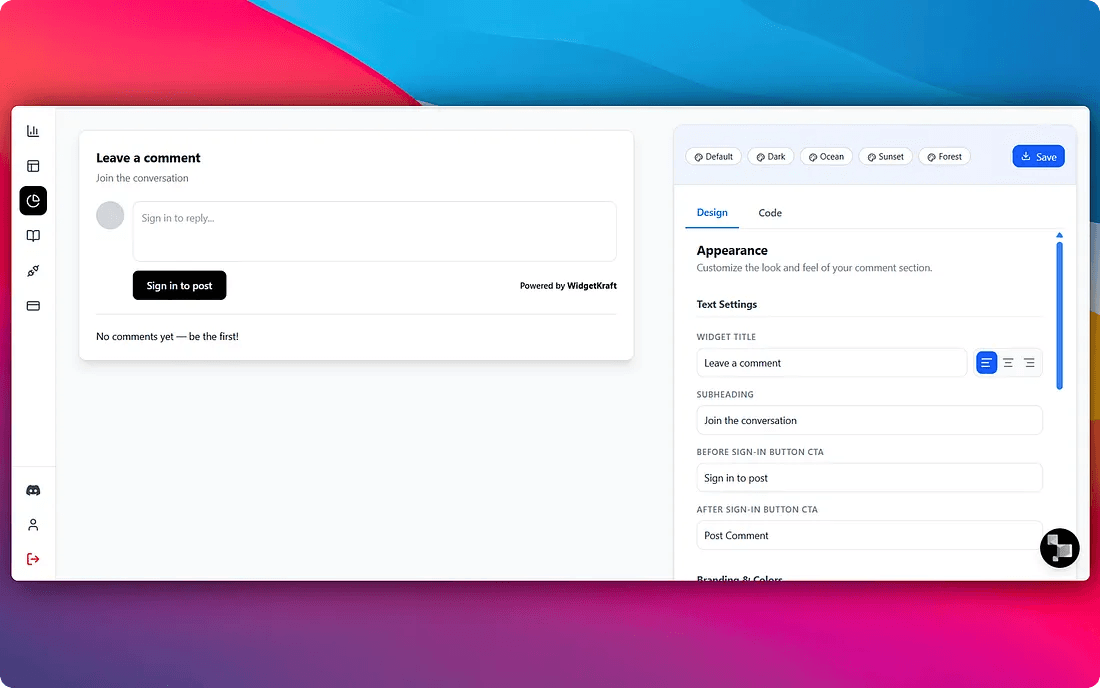
2.A Comment System That Looks Like Your Brand
Most comment tools look the same everywhere. They have their own style and rarely match the design of your website.
This creates a strange experience for visitors. They move from your clean website into a Comment Chaos that feels completely different.
Your comment section should look like it belongs to your site.
- Adjust colors, fonts, and layout to match your brand
- Readers feel comfortable using it
- It feels like a natural part of your blog, not a third party tool
3.Embed It Directly on Your Blog
Many website owners avoid adding comments because they think it will require complicated setup.
In reality, it should be simple.
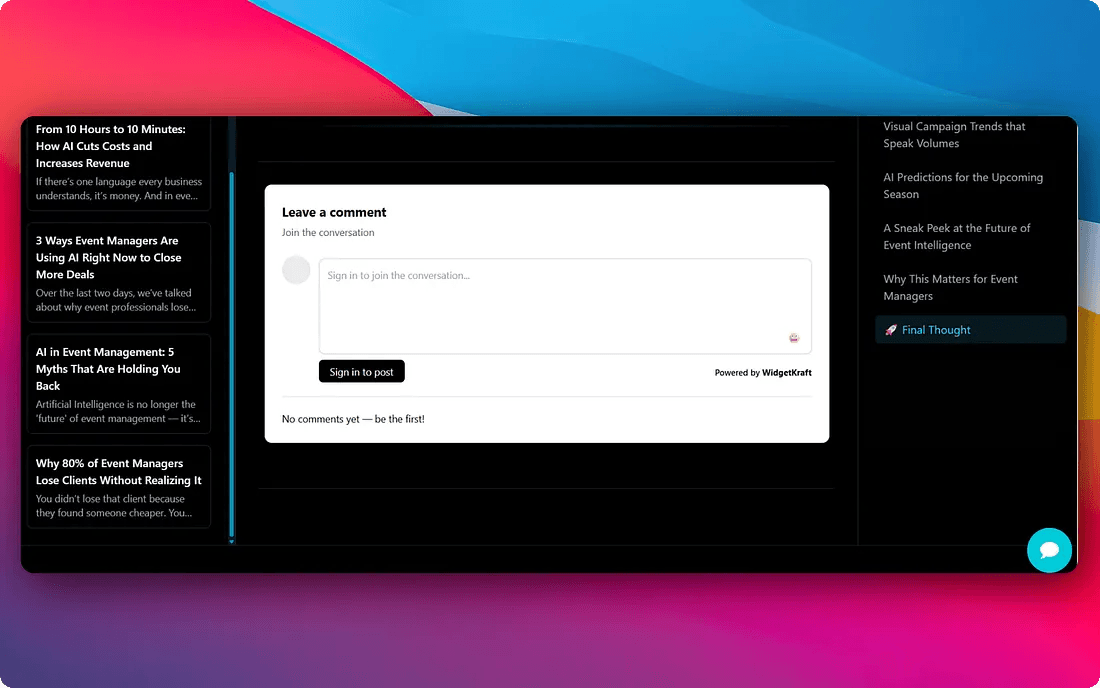
A modern comment system can be added to any blog with just a few lines of code. Once embedded, it appears directly under your articles where readers expect to see it.
- Works on personal blogs
- Works on SaaS product websites
- Works on documentation sites
4.Let People Comment Using Google Authentication
One of the biggest problems with comment systems is spam and fake users.
At the same time, forcing readers to create new accounts is also a bad experience. Most people will not go through that process just to leave a comment.
A simple solution is Google authentication.
- Readers log in with their Google account instantly
- Takes a few seconds, not a full signup flow
- Avoids fake identities and spam bots
- Keeps discussions real and useful

5.Comments Turn Readers Into Leads and Discussions
When people can comment on an article, something interesting happens.
Readers stop being passive.
They start asking questions, sharing opinions, or adding their own experiences. This creates two powerful outcomes.
- Someone asking a question in the comments is already interested in the topic, that person may become a customer
- Readers begin discussing the topic with each other, keeping people on your site longer
- Your blog becomes a place where ideas are exchanged, not just published
Instead of a one way post, your blog becomes a place where ideas are exchanged.
6.Get Notified When Someone Comments
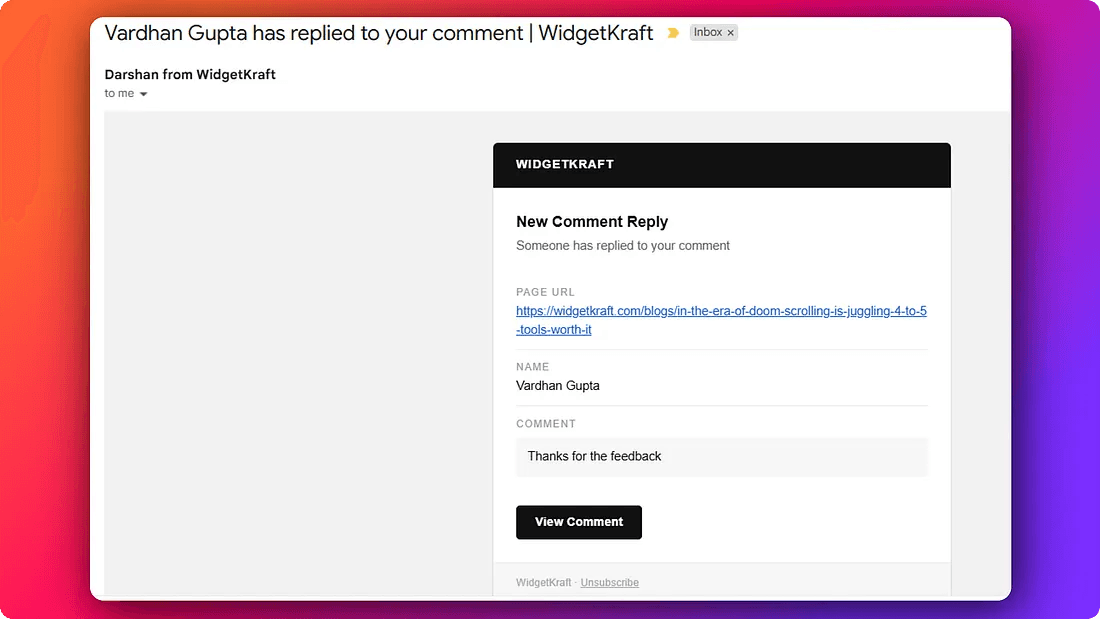
A comment is not useful if you notice it three days later.
When someone comments on your blog, the best time to reply is immediately. Quick responses keep conversations alive and show readers that someone is actually listening.
This is where real time notifications help.
7.A Simple Way to Add This to Your Website
Many founders and small teams do not want to manage complex tools. They just want something that works.
This is exactly the idea behind WidgetKraft.
- Customize the Comment Chaos to match your brand
- Embed on any page with just three lines of code
- Allow readers to comment using Google authentication
- Receive notifications and respond quickly
It turns your blog from a static page into an active discussion space.
If you are already writing articles, it makes sense to give readers a way to respond.
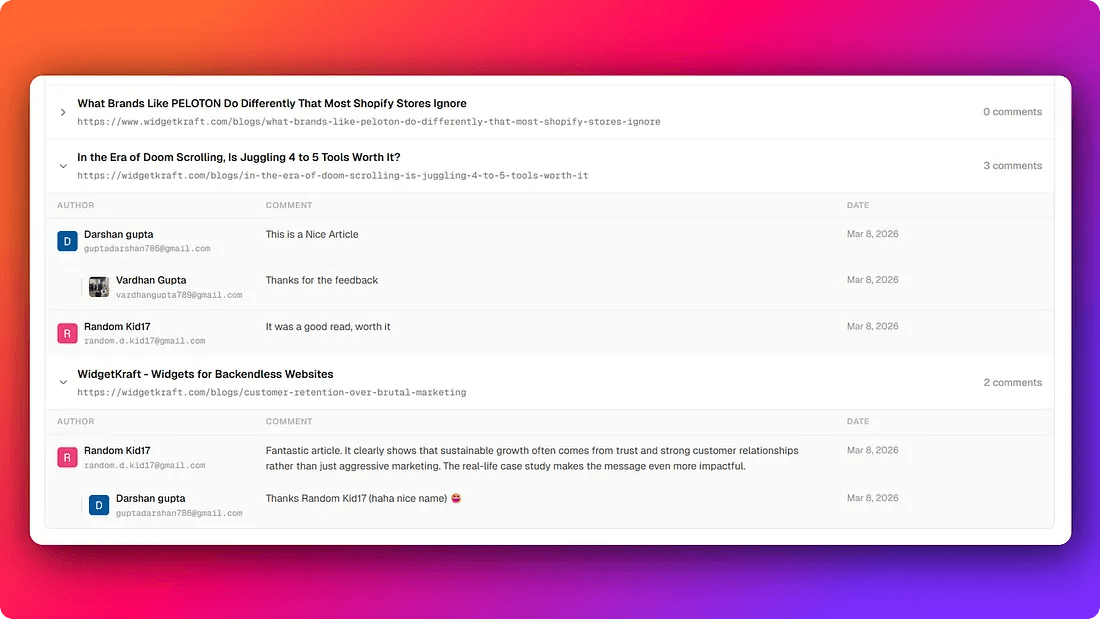
Turn your blog into a conversation.
With WidgetKraft, you can add a fully branded comment system to any blog or article in minutes. No complex setup, no third party branding, no spam.
If you are already writing, give your readers a way to respond.