Contact Forms
You have a contact form.
Nobody's actually being contacted.
Four reasons your contact form is losing you leads right now and exactly how WidgetKraft fixes each one.
The problem
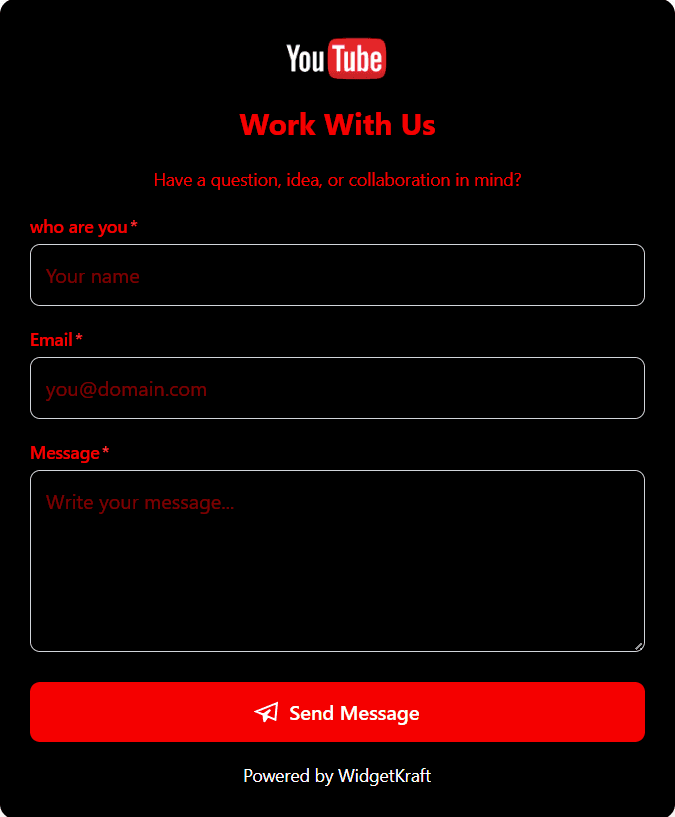
Your contact form looks nothing like your website. It screams 'free tool' and costs you trust before they even type a word.
First impressions aren't just your homepage. Every touchpoint is your brand. A generic form with a default blue button tells visitors you didn't care enough to finish the job. WidgetKraft's contact form builder lets you match every pixel to your brand button colors, backgrounds, field styles, themes live preview as you go.
The problem
Someone filled your contact form two days ago. You have no idea. They've already emailed your competitor.
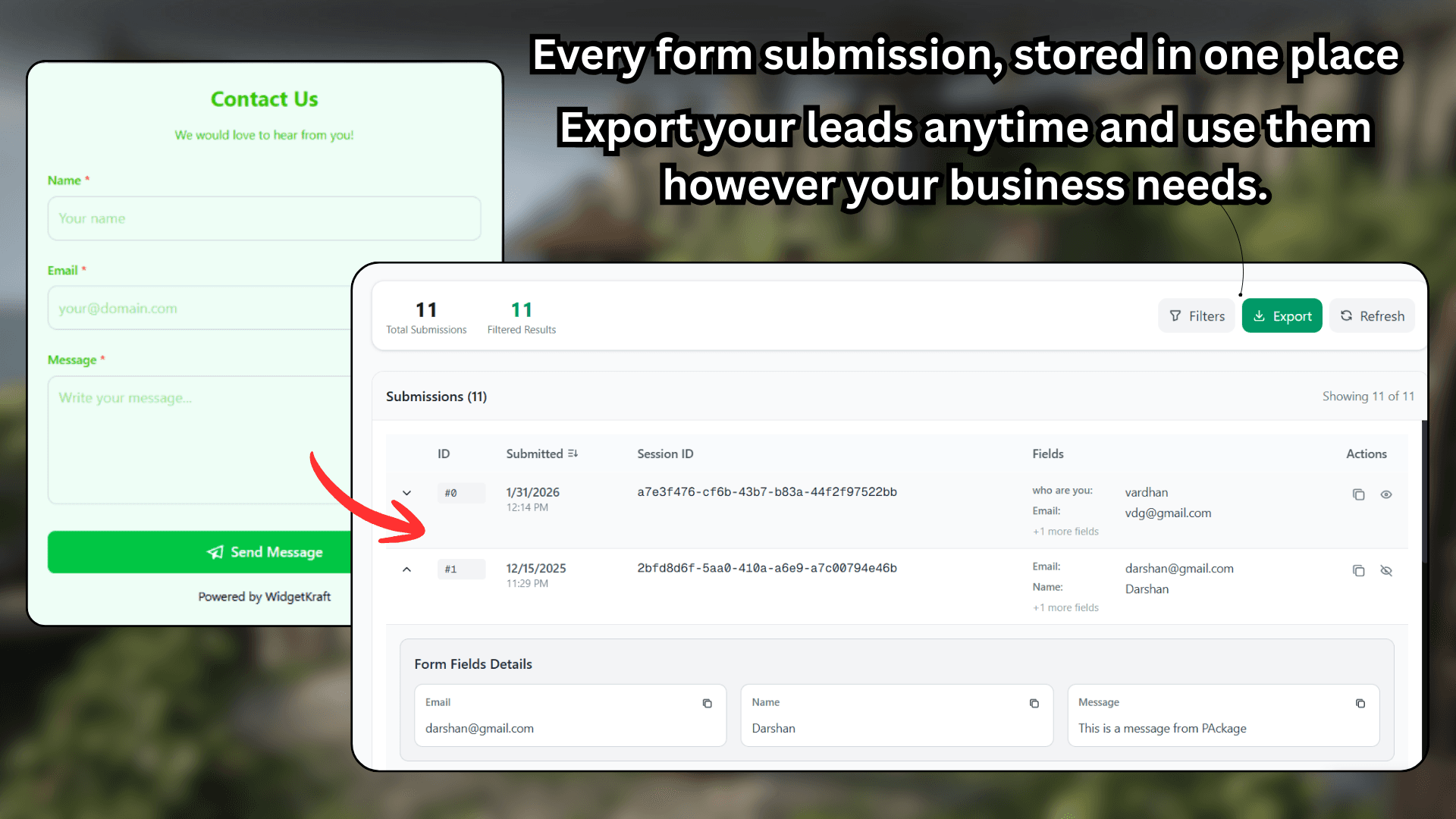
You built a form so people could reach you. But if you're only checking it when you remember to, you're not reachable you're just pretending to be. WidgetKraft captures every submission with the full field data, session ID, and timestamp in a clean dashboard you can actually use.
The problem
You asked people to contact you. Then you made them wait 48 hours for a reply because nobody told you they wrote in.
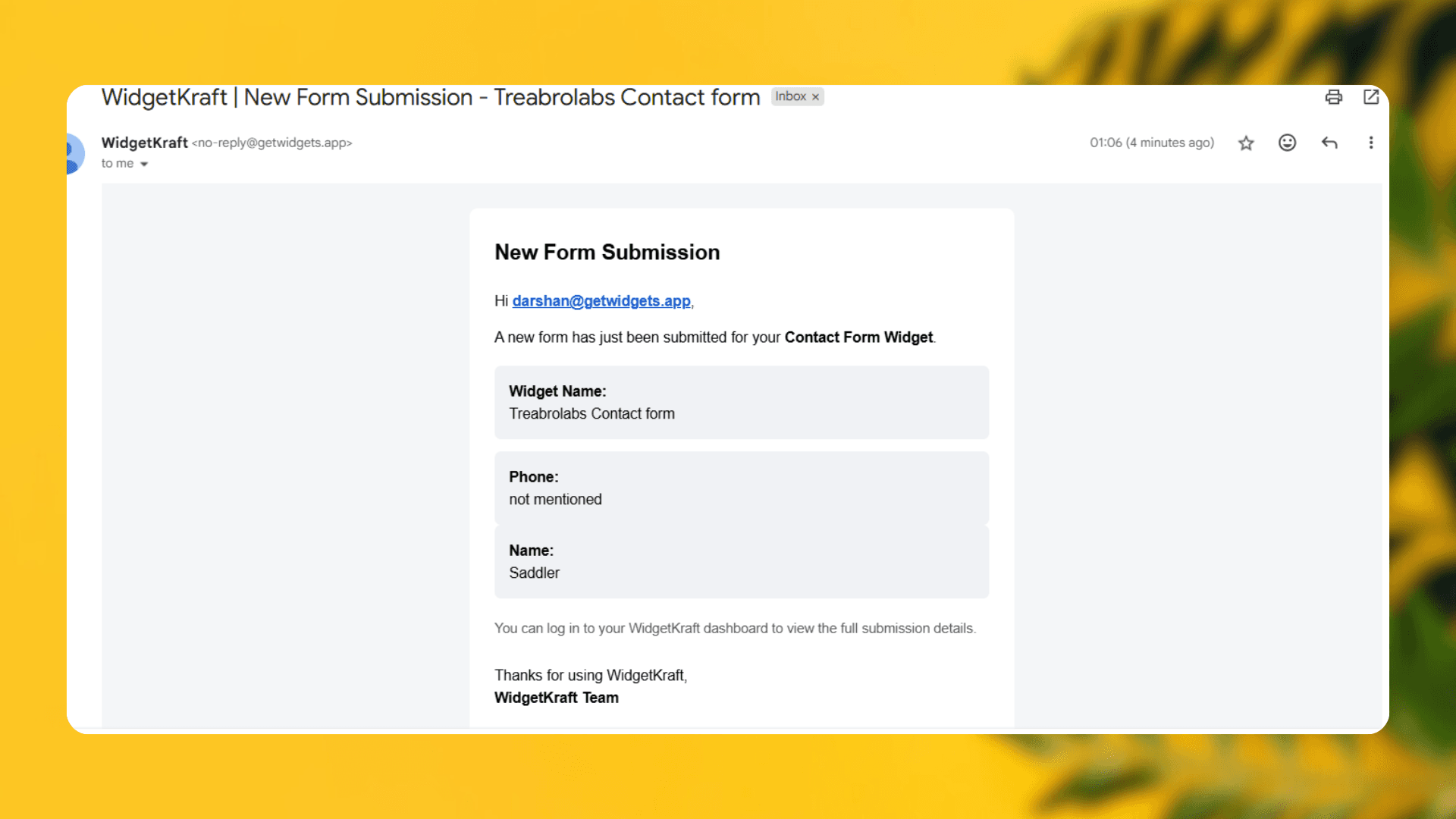
Speed of response is speed of trust. When someone fills your form, they're in buying mode right now. Waiting until morning to see it is leaving money on the table. WidgetKraft fires an email notification the instant a submission lands so you can follow up while the conversation is still warm.
The problem
Your sales lead fills the form, the alert goes to a personal inbox, and your whole team finds out three days later in a standup.
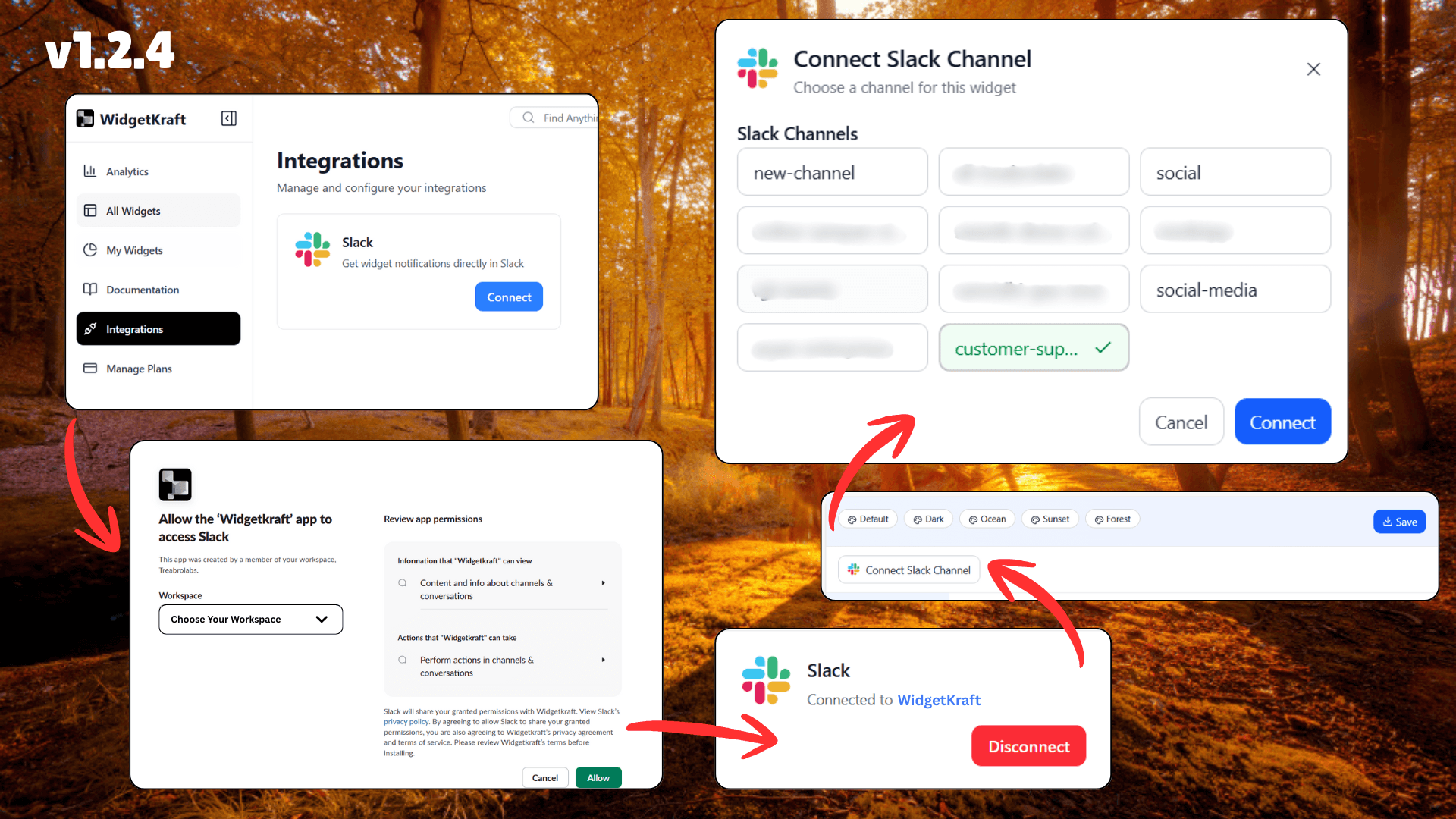
Your team doesn't live in email. They live in Slack. When a contact query comes in, it should show up where the conversation is already happening not in an inbox someone checks twice a day. Connect your Slack workspace once and every new submission lands exactly where your team works.
No credit card · Setup in 60 seconds · Free plan included